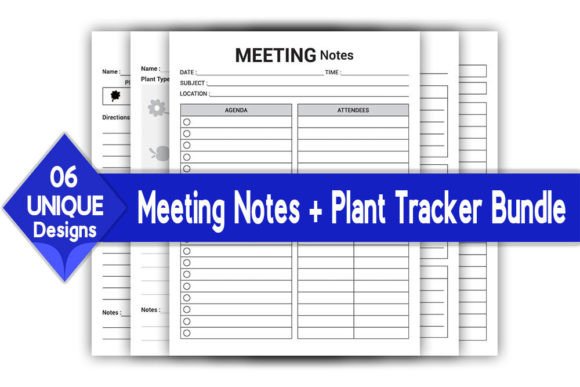
Meeting Notes Bundle Log Book KDP
A meeting without a record is just a conversation. For professionals juggling multiple projects, clients, or teams, the difference between chaos and clarity often comes down to a single tool: the notebook you use. The Meeting Notes Bundle Log Book KDP interior offers more than blank pages—it provides a structured, adaptable framework that captures decisions, action items, and ideas with precision. Designed to meet Amazon KDP’s rigorous standards, this bundle is a 100% vector editable and resizable asset that puts you in full creative and commercial control.
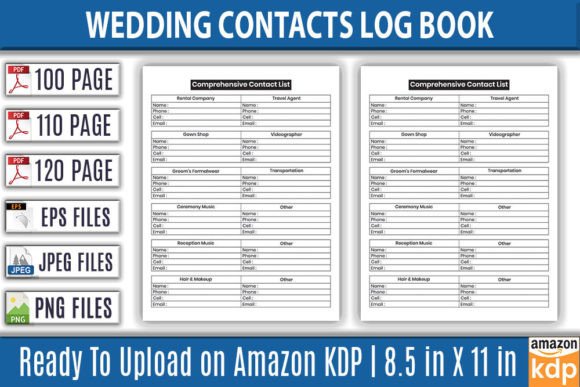
What makes this bundle truly valuable is its versatility. It is not just a static PDF. It includes editable EPS and AI files, transparent background PNGs, and high-resolution JPGs. It is KDP tested, so the formatting holds up perfectly for print. Whether you are publishing your own series of log books or designing a custom system for your business, the page structure inside this bundle gives you a head start. Page counts of 100, 110, and 120 pages, combined with a standard 8.5x11 inch trim and 300 DPI quality, ensure a polished product that feels substantial in hand.
The Value of a Structured Meeting Log
A log book is only as useful as its layout. The interior of the Meeting Notes Bundle Log Book KDP is designed to guide the user toward productive habits. Clear sections for objectives, key discussion points, and next steps turn scattered thoughts into a coherent record. This structure is especially useful for project managers, team leads, and solopreneurs who need to review past meetings quickly and extract what matters.
Without structure, meeting notes often become a wall of text. With it, the user can scan a page and immediately identify decisions made and tasks assigned. This bundle supports that efficiency by providing a clean, uncluttered grid. Since the files are fully editable, you can adjust the headers or spacing to match your preferred style. The no-bleed setting also guarantees that every line and margin stays intact during professional printing, leaving no content cut off at the edges.
Adapting the Layout for Different Professional Needs
One of the strongest features of this bundle is its adaptability for different audiences. Because the files are vector-based, resizing and adjusting the layout does not reduce quality. You can shift columns, rename sections, or even change the font entirely without starting from scratch.
- For entrepreneurs and solopreneurs: Customize the fields to track client follow-ups, lead status, and revenue milestones. The clean design supports quick notation during high-energy pitch meetings or strategy sessions.
- For educators and academics: Adapt the log for lecture notes, committee discussions, or research feedback sessions. The generous 8.5x11 inch writing area accommodates detailed notes without feeling cramped.
- For creative professionals: Graphic designers, writers, and marketers can use the flexible grid to record feedback rounds, client preferences, and project revisions. The ability to resize elements means you can allocate more space for visual briefs or mood board references.
Tailoring the Bundle for Different Platforms and Goals
This bundle is equally powerful whether you are a KDP publisher building a low-content catalog or an internal team lead standardizing corporate documentation. The key is understanding how to leverage the included file formats for your specific workflow.
For the KDP Publisher
If you are looking to grow your print-on-demand business quickly, this interior is a ready-to-use asset. It comes with high-resolution JPG files that upload cleanly to KDP, alongside editable EPS files if you want to make custom tweaks. The bundle provides three page count options—100, 110, and 120 pages—so you can test different price points or offer a series. Because it is KDP tested, you avoid common formatting pitfalls like margin shifts or resolution drops. You can focus entirely on creating an appealing cover and writing a compelling product description.
Publishers can also use the vector files to create spin-off products. For example, the same underlying grid can be modified to produce a “Team Meeting Notes” book or a “Client Consult Log.” Maintaining brand consistency across a series is straightforward when you have a master template that scales perfectly.
For the Corporate Professional
Inside an organization, standardizing how meetings are documented improves accountability and transparency. The transparent background PNG files included in this bundle are ideal for overlaying onto digital platforms like OneNote, Notability, or GoodNotes. Team members can fill out the same template on tablets, ensuring everyone follows the same format. The no-bleed print setting also means physical copies match digital ones exactly, reducing confusion during hybrid meetings.
For Freelancers and Independent Creators
Freelancers often serve multiple clients in a single day, and keeping each conversation separate is critical. The Meeting Notes Bundle Log Book KDP interior allows for distinct sections per client. You can edit the EPS file to pre-populate client names or project codes, saving time during calls. The 300 DPI print quality ensures that even small text and checkboxes remain crisp, whether you print at home or use a professional service.
Exploring Creative Applications Beyond Traditional Meetings
The structure of a meeting log is versatile enough to adapt to many creative and organizational uses. Do not limit yourself to boardroom scenarios. The layout works beautifully for a range of formats:
- Podcast and content planning: Use the sections to log episode ideas, guest details, recording dates, and talking points. The action-item fields become natural places for pre-production tasks.
- Coaching and consulting sessions: Track goal setting, progress updates, and client reflections. The clean layout supports both structured agendas and open-ended discussion.
- Research journals: Document hypotheses, methodology, findings, and next steps. The ability to resize columns in the vector files means you can prioritize data-heavy sections over narrative ones.
- Personal brainstorming: Dedicate a page to a single project and use the structured fields to break down complex ideas into manageable action steps.
The transparent PNG files give you even more flexibility. You can import the design directly into digital notebooks and use it repeatedly without printing. This makes the bundle an excellent hybrid tool for those who work across both analog and digital environments.
Practical Recommendations for Keeping Results Clear and Consistent
To ensure the final product is effective and user-friendly, apply these practical guidelines during your customization process:
- Maintain visual hierarchy: Keep your headers distinct from body sections. Use consistent spacing and font weights. A clear hierarchy helps users find information quickly.
- Consider color coding: If you edit the vector files, assign specific colors to different sections. For example, use gray for date fields, blue for action items, and green for key decisions. This subtle system improves usability without overwhelming the page.
- Add a reference guide: Include a short legend or table of contents on the first page. This helps new users understand the layout immediately and encourages long-term use.
- Test the print version: Even though the interior is KDP tested, it is wise to run a test print of your customized version. Check that the no-bleed settings align with your printer’s requirements and that all elements fall within safe margins.
- Bundle consistently: If you are publishing multiple products, keep the same grid structure across different titles. Customers appreciate familiarity, and it builds trust in your brand.
Balancing Creative Freedom with Practical Structure
The strength of the Meeting Notes Bundle Log Book KDP lies in its balance. It provides enough structure to eliminate the anxiety of a completely blank page, while offering enough flexibility through editable files to suit nearly any use case. The inclusion of EPS, AI, PDF, JPG, and PNG formats means you are not locked into one workflow. You can design in Adobe Illustrator, upload directly to KDP, or share transparent overlays with a remote team.
For small business owners, this bundle saves hours of layout design time. For creators, it provides a professional base to build a publishing catalog. For educators and project leads, it enforces a standard that improves communication. The page is ready, the margins are safe, and the resolution is print-sharp. The only missing piece is your creative direction. Whether you keep the original headings exactly as they are or rewrite every field to match a specific niche, the foundation remains solid. Organized thinking starts with a well-designed tool, and this bundle delivers exactly that.