110 Horror Halloween Coloring Pages: A Practical Resource for Creators and Publishers
Building a consistent, high-quality content business on platforms like Amazon Kindle Direct Publishing requires reliable assets that fit seamlessly into your production workflow. 110 Horror Halloween Coloring Pages is a digital printable coloring book bundle designed specifically for creators who need a substantial, ready-to-use interior for a horror-themed coloring book. Whether you are launching a seasonal title, expanding your adult coloring book catalog, or testing a new niche, this bundle offers a structured foundation that reduces creative overhead and accelerates time to market.
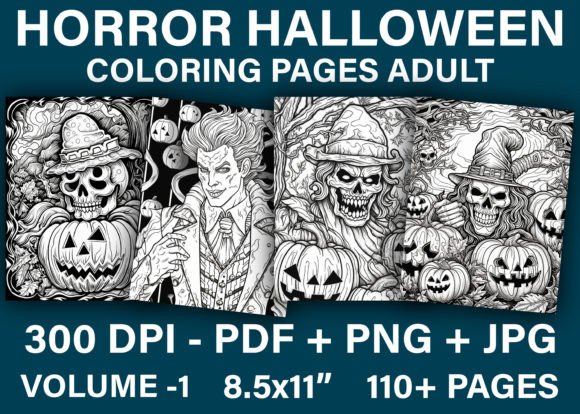
This collection includes 110 distinct designs, provided in A4 size (8.5″ x 11″) with PDF, JPG, and PNG file formats. The bundle is delivered as a .zip file containing all templates, making it straightforward to edit, resize, or integrate into your existing publishing pipeline. The following sections explore how this resource fits into practical workflows, how to prepare and organize your files, and what to consider when using it for a KDP project or similar print-on-demand venture.
Understanding the Bundle and Its Place in Your Workflow
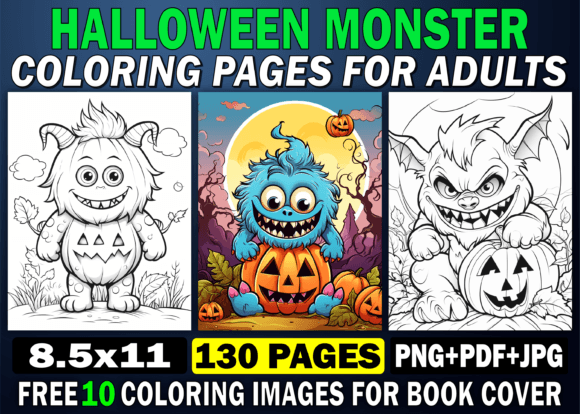
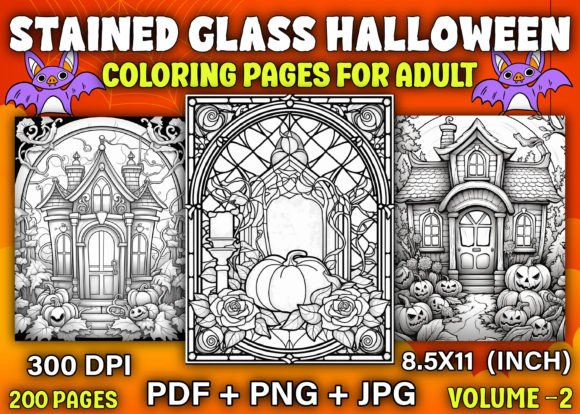
For anyone producing adult coloring books, the interior design phase is often the most time-intensive part of the process. Sourcing or creating original artwork, ensuring consistency across pages, and formatting files for print-ready output can delay a launch by weeks. This bundle addresses that bottleneck by providing a complete set of horror-themed line art that is already formatted for print. The 110 designs cover a range of spooky, macabre, and Halloween-appropriate imagery suited to an adult audience, offering enough variety to fill a full-length book without requiring additional artwork.
Because the files are provided in multiple formats, you can adapt them to different workflows. If you work primarily in design software like Adobe Illustrator, Affinity Publisher, or Canva, the PNG and JPG files give you flexibility for layering, resizing, or combining with other elements. The PDF version is print-ready out of the box, which is useful if you want to upload directly to KDP after a quick review. This multi-format approach means the bundle fits whether you prefer a minimal-touch process or a more customized production pipeline.
For publishers who already have a catalog of horror or Halloween content, this bundle can also serve as a way to create a second volume, a themed variation, or a complementary product. The 110 designs give you room to select a subset for a smaller book or use the full set for a comprehensive volume. Having a single source with consistent style and size simplifies the layout process and reduces the risk of formatting errors.
Using the Resource Before, During, and After a Project
The bundle can be integrated at multiple stages of a project lifecycle, depending on your specific goals and current phase of work.
Planning and Preparation
Before you begin assembling your book interior, the bundle allows you to assess the full scope of content. Reviewing all 110 designs helps you decide on a book length, page order, and any additional elements you may want to add, such as a title page, copyright page, or test pages. Because the files are already sized consistently, you can quickly estimate page counts and print costs. This upfront clarity helps avoid scope creep during production.
If you are working with a print-on-demand service like Amazon KDP, preparing your file ahead of time means you can check the bleed, trim, and margin requirements against the template. The A4 size is standard and compatible with most platforms, but verifying dimensions early saves rework later. Use the PDF version to perform a quick preflight check before uploading.
Production and Assembly
During the assembly phase, the multiple file formats give you options. If you want to add page numbers, headers, or promotional pages, the PNG or JPG files can be imported into your layout software and placed on top of a background. The PDF can be used directly if you prefer not to modify each page. For those who want to resize the pages to a different trim size, the PNG files offer a transparent background that makes scaling and cropping easier without losing edge detail.
If you are producing multiple versions of the same book—for example, a standard edition and a larger print edition—you can use the original files as a base and apply batch resizing in image editing software. This reduces redundant work and ensures consistency across formats.
Post-Launch and Repurposing
After your book is published, the bundle still has value. The individual PNG or JPG files can be used for social media marketing, email promotions, or sample pages for your product listing. You can create teaser images, blog posts, or Pinterest pins that showcase the interior style without giving away the entire book. Because the designs are original to this bundle, you retain control over how they are used in marketing collateral.
Additionally, the 110 designs can be split into smaller themed collections for future products. If you find that certain motifs—such as haunted houses, creepy creatures, or gothic characters—perform well with your audience, you can curate a subset into a new book with a different title. This extends the useful life of the asset beyond a single release.
Integration with Other Tools and Platforms
The bundle is designed to work with a range of common publishing tools. The PDF format is directly compatible with Amazon KDP's upload requirements. If you use software like Adobe InDesign, Scribus, or even Microsoft Word for layout, you can import the PDF pages as individual files or combine them into a single document. For creators who prefer Canva or similar web-based design platforms, the JPG and PNG files can be uploaded directly and arranged into a book template.
If you also produce paperback and hardcover versions through different distributors, having the files in multiple formats ensures you can adapt to varying submission guidelines. Some platforms require PDF/X-1a or other specific standards, and the provided PDF can often be converted using free or low-cost tools without losing quality.
For those who collaborate with designers or virtual assistants, the .zip file structure makes sharing and organization straightforward. You can upload the full bundle to a cloud storage service like Google Drive or Dropbox and provide access to team members without resending individual files. This is especially useful if you outsource tasks like layout, proofreading, or cover design.
Practical Implementation Tips
To get the most out of this bundle, consider a few practical steps before you begin production.
Organize your files first. The .zip file contains 110 designs, so take a few minutes to sort them into logical order. You may want to group similar themes together or arrange pages to create a visual rhythm. Renaming files with a consistent naming convention (e.g., page_001, page_002) can save time when importing into layout software.
Check compatibility with your print platform. While the A4 size is standard, double-check the trim and bleed requirements for your chosen distributor. If you need to add bleed, you can slightly scale the PNG files and place them on a larger canvas. Most design tools allow you to add a 0.125-inch bleed easily.
Test a sample print. Before publishing, print a few pages at home or through a local print shop to verify that the line art reproduces clearly. Horror coloring pages often rely on fine details and contrast, so checking the output quality early prevents issues with customer satisfaction.
Consider your audience. The horror theme is broad, and your target readers may prefer certain sub-themes. If you are marketing to fans of gothic, spooky, or creepy content, you can highlight specific design elements in your product description. If you are aiming for a more general adult coloring audience, you may want to select the tamer designs and leave out more intense imagery.
Plan for multiple interiors. The product description notes that you can create at least five interiors with this bundle. To achieve that, you can vary the page selection, add different cover designs, or adjust the book size. For example, you could produce a 50-page softcover, an 80-page paperback, and a 110-page premium edition. Each variation targets a different price point and customer preference.
Usability and Quality Control
One of the key advantages of this bundle is that the files are already tested on the Amazon KDP platform. This reduces the risk of rejection due to formatting issues, but you should still perform your own quality checks. Verify that each page has consistent margins, that no design elements are cut off at the edges, and that the line art is clear at the intended print size.
If you plan to sell through multiple channels, check whether each platform requires a different file format or color space. The PDF and JPG files are in RGB by default, which is suitable for on-screen viewing and most print-on-demand services. However, if you are submitting to a traditional offset printer, you may need to convert to CMYK. The PNG files with transparency can be useful if you need to place designs on colored backgrounds or add overlays.
For long-term use, store the original .zip file and a separate copy of the extracted files in at least two locations. This protects against accidental deletion or corruption. Keeping an organized archive of your interior assets also makes it easier to update or repurpose the content in future quarters.
Scaling Your Publishing Workflow
For creators who treat book publishing as a repeatable process, having a bundle like this allows you to focus on marketing, cover design, and customer engagement rather than struggling with interior production. Once you establish a workflow for preparing, uploading, and testing these files, you can replicate that process for future volumes. The time saved on each project compounds, enabling you to launch more titles in a given period.
If you are already selling horror or Halloween coloring books, this bundle can be used to fill a gap in your catalog. For example, if you have a general Halloween book but lack a dedicated horror edition, the 110 designs give you a complete interior that matches the darker, more mature aesthetic. You can also pair the interior with a custom cover that reflects the specific mood of your target audience.
Entrepreneurs who are new to content publishing will find the bundle useful as a low-risk way to test the market. Because the files are pre-formatted and require minimal editing, you can create a listing quickly and gauge demand before investing in custom illustrations. If the book performs well, you can reinvest in additional volumes or expand the series.
Final Observations
110 Horror Halloween Coloring Pages is not just a collection of images—it is a production asset that fits into a practical, repeatable publishing workflow. The multiple file formats, consistent sizing, and ready-to-print output reduce the friction that often slows down self-publishers. Whether you are assembling your first coloring book or adding a new title to an established catalog, the bundle provides a solid foundation that you can customize, scale, and repurpose over time.
The horror and Halloween niche has a dedicated audience that returns year after year. By using a resource that is already formatted for KDP and compatible with common design tools, you can focus on the parts of the business that drive sales, such as cover design, keyword optimization, and customer engagement. Download the bundle, organize your files, and integrate it into your production pipeline for a straightforward path from concept to published book.